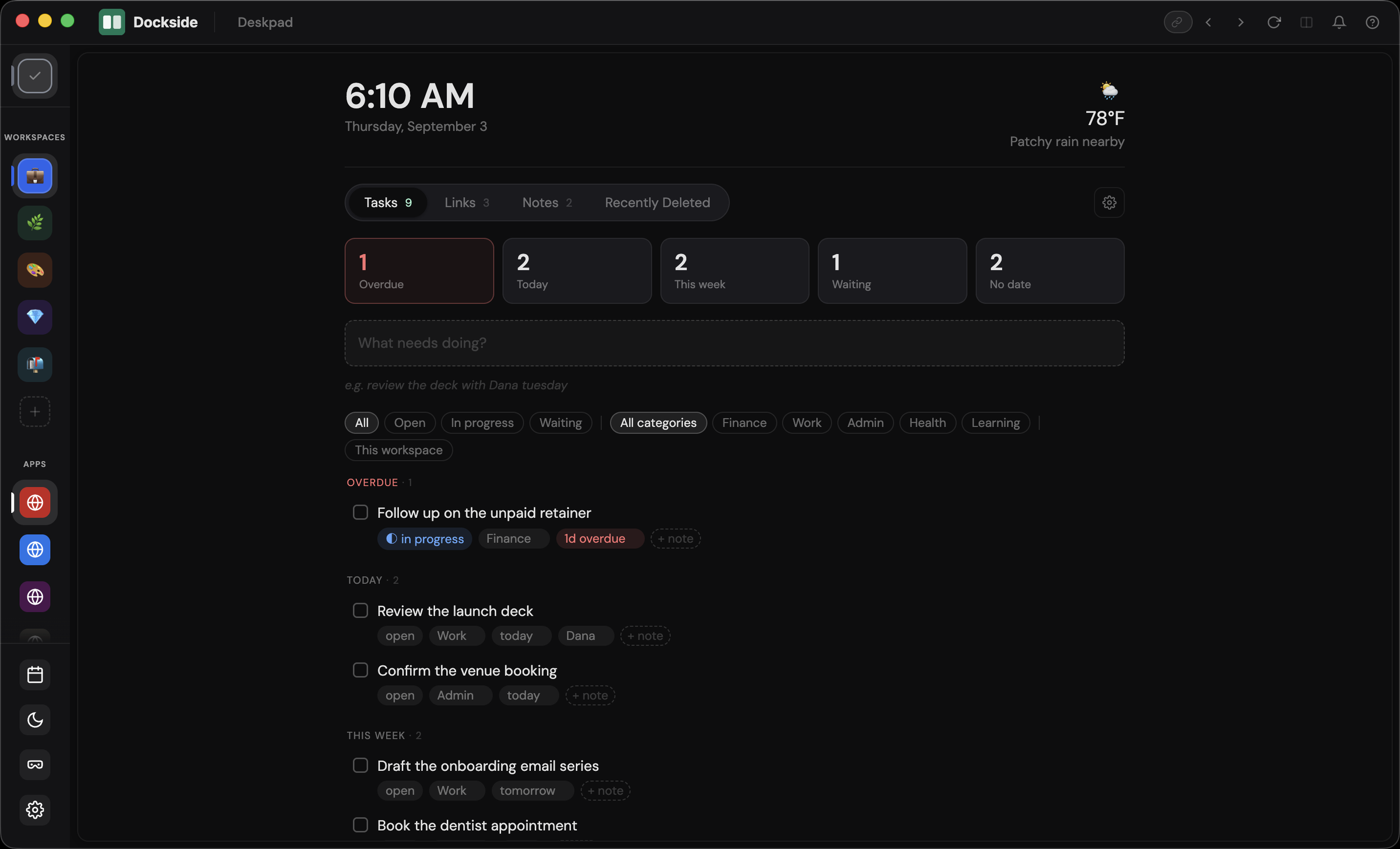
What you get once your workspaces are set up.
Never wonder which account you're using.
Each workspace has its own accent color across the titlebar and frame, plus a ring on its sidebar icon that fades the longer you've been away.
Clear a morning's worth of unread in about a minute. ⌘⇧N pulls every badge from every app and workspace into one drawer, three actions each: Done, Later, or Quiet.
The source app's badge stays untouched.
Stop carrying tomorrow's first task in your head overnight.
Quit and Dockside asks where you left off. Open it in the morning and it's on screen, with what was open and where your time went.
Try it free for 14 days.
Sign into two accounts of the same app and use both at once. Work Gmail and personal Gmail side by side in one workspace, with separate sessions, badges, and logins.
Everything else goes quiet. Start a session and the sidebar dims, a timer runs, and your current app takes the full screen.
The two apps you always use together, one click away. Save any pair as a named Dock in the sidebar: Client A’s Slack next to their Linear.
⌘K gets you anywhere without hunting for it. Any workspace, any app, or a page you visited recently, with fuzzy search.
Keep your reference open while you work. Chat on the left, doc on the right, one resizable divider, all inside the same workspace.
Look something up without it following you around. One click starts a clean, red-tinted session that forgets everything when you close it.
All of this, free to try for 14 days.
⌘F searches inside the app you're in, and arrow keys walk the matches.
Learn the app without digging through menus. Press ? for every shortcut on one card.
Match your Mac or pick a side. Dark, light, or follow the system.
New versions download quietly in the background. A restart button appears in the titlebar when one is ready, so you update on your own schedule.
Hand someone your whole setup. Copy a workspace as a link; anyone with Dockside imports it in one click.
Get notified even when Dockside is in the background. Click one and you land in the right app, in the right workspace, already signed in.
One number for everything waiting. Every app and workspace, summed on the Dock icon.
Start with a full catalog. Search by name or category, or simply add any app or site that isn’t there with a URL.
Your Work workspace loads exactly as you left it, every app still signed in. One ⌘⇧N clears the overnight badges.
Jump to the side project and a different Gmail, GitHub, and Stripe are already signed in. Start a focus session and everything else dims.
Switch to Personal with work nowhere in sight. Leave a one-line note when you quit, and tomorrow opens right there.
Free to install. Free tier forever.
14 days of Pro on first launch, no credit card.